
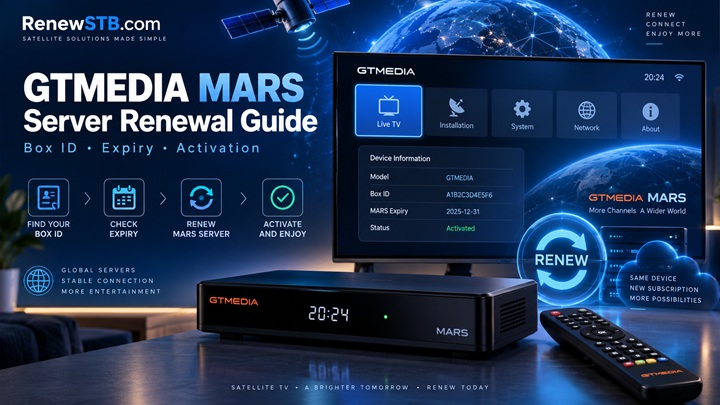
GTMEDIA MARS Server Renewal Guide 2026 – Box ID, Expiry & Activation
If your GTMEDIA receiver is showing an expired MARS subscription, disconnected server status, or encrypted channels, you may need to renew the MARS server linked to your receiver.
Unlike many receiver services that use a standard serial number, GTMEDIA MARS normally identifies the receiver through its Box ID. This makes it especially important to check the correct device information before placing a renewal order.
In this guide, we explain how to find your GTMEDIA MARS Box ID, check your subscription, choose the correct renewal option, activate the service, and troubleshoot the most common problems after renewal.
What Is GTMEDIA MARS Server?
MARS is a server platform used on compatible GTMEDIA satellite receivers running supported MARS software.
The service is linked to the individual receiver, which means a renewal must be applied to the correct Box ID. You normally do not need to replace the receiver or visit a technician simply because the existing subscription has expired.
Once the correct renewal has been processed, the receiver can reconnect to the service using its existing MARS configuration.
The exact packages and availability depend on the receiver, software version, region and current MARS service options.
How Do I Know If My MARS Subscription Has Expired?
An expired subscription is only one possible reason for channels no longer opening.
Before ordering anything, check the MARS information shown by your receiver. An expired or inactive account may show an old expiry date, disconnected status, inactive server information, or channels remaining encrypted even though your internet and satellite signal are working normally.
If the subscription is still active, investigate your internet connection, satellite signal and receiver software before purchasing another renewal.
This small check saves quite a lot of unnecessary troubleshooting later. Apparently entering random device numbers and hoping for divine intervention is still not a reliable activation method.
How to Find the GTMEDIA MARS Box ID
The Box ID is the most important information required for a MARS renewal.
On many GTMEDIA receivers running MARS software, you can find it from a path similar to:
Menu → Settings → About STB / Device Information → Box ID
Menu names can differ slightly depending on the GTMEDIA model and installed firmware.
Make sure you are reading the Box ID used by MARS, not an unrelated serial number printed elsewhere in the menu.
Some firmware versions may display additional characters together with the Box ID. If you are unsure which part is required for activation, send a clear photo of the Box ID screen to RenewSTB support before ordering.
Do not guess the number. A renewal is linked to the submitted device information.
Why the Box ID Matters
Your Box ID identifies the receiver on the MARS system.
When a renewal is processed, the subscription period is assigned to that receiver. This is why entering information from another receiver, copying an incorrect digit, or submitting the normal hardware serial number instead of the MARS Box ID can cause activation problems.
Check the number carefully before completing your order.
How to Renew GTMEDIA MARS Server Online
Step 1: Check Your Receiver
Turn on the GTMEDIA receiver and confirm that it is connected to the internet.
Open the receiver information screen and locate the MARS Box ID.
If the Box ID is missing or shown incorrectly, resolve that issue before purchasing a renewal.
Step 2: Confirm the Current Subscription Status
Check whether your MARS service is actually expired.
If a device-check option is available for your receiver, use it to confirm the current service and expiry information. You can also check the server or account information directly from the receiver.
This is particularly useful when channels have stopped working but the existing subscription may still be active.
Step 3: Choose the Correct MARS Renewal
Select a MARS renewal suitable for your receiver and region.
Depending on current availability, different regional MARS options may be offered. Do not choose a package only because its name looks familiar. Confirm compatibility with your receiver and viewing region first.
If you are unsure, contact RenewSTB before payment and provide your GTMEDIA model and Box ID.
Step 4: Enter Your Box ID Carefully
During the order process, submit the required MARS Box ID exactly as requested.
Check every digit before confirming the order.
An incorrect Box ID can result in the renewal being assigned incorrectly and may make the order difficult or impossible to reverse once activation has been completed.
Step 5: Complete Your Order
Complete checkout using one of the payment methods currently available on RenewSTB.
After payment and device information have been verified, the renewal request can be processed.
Activation time can vary depending on the service and payment verification, so always check the order status rather than repeatedly submitting the same renewal.
Step 6: Restart the Receiver
After confirmation that the MARS renewal has been activated, completely restart the GTMEDIA receiver.
A full power restart is preferable to simply placing the box in standby.
Allow the receiver to reconnect to the internet and MARS service, then check the subscription information again.
MARS Renewed but Channels Are Still Not Opening
A successful renewal does not necessarily mean every channel will appear immediately.
First confirm that the receiver has a working internet connection and a valid satellite signal. Then perform a full restart and check whether the updated expiry information appears in the MARS or server menu.
If the new expiry date is visible but channels remain encrypted, the problem may be related to the receiver configuration, firmware, satellite reception or temporary service availability rather than the renewal itself.
Do not immediately order another subscription. That merely creates two problems where previously there was one.
Box ID Is Missing or Shows XXXXX
On some GTMEDIA receivers, the Box ID may not appear correctly if the receiver has not communicated successfully with the required online service.
Check that the receiver has internet access and reboot it.
If the problem started after installing or changing firmware, verify that you are using software intended for your specific GTMEDIA model.
Avoid installing random firmware simply to obtain a Box ID. Receiver firmware must match the hardware model.
If the Box ID still does not appear, contact support and provide the exact receiver model, current software version and a photo of the About STB or Device Information screen.
Wrong Box ID Submitted During Renewal
Contact support immediately if you notice that you entered the wrong Box ID.
Do this before activation whenever possible.
Digital receiver renewals are usually associated directly with the submitted device information. Once a subscription has already been activated against a valid receiver ID, transferring or cancelling it may not always be possible.
Checking the Box ID before payment is considerably easier than attempting to repair an incorrect activation afterward.
Do I Need to Install New Firmware After MARS Renewal?
Normally, renewing an existing working MARS subscription and upgrading receiver firmware are two separate things.
If your receiver was already using MARS correctly before the subscription expired, do not install different firmware simply because you renewed the server.
Update receiver software only when your particular model requires an update or when you are resolving a confirmed firmware-related problem.
Before any major firmware change, back up important settings or channel data where your receiver supports it.
Can I Renew MARS Before It Expires?
A renewal may be possible before the existing service expires, but how remaining subscription time is handled can depend on the specific package and renewal system.
For that reason, check the terms of the selected MARS plan before purchasing an early renewal.
If your current service still has substantial time remaining, confirming this first prevents confusion about the new expiry date.
GTMEDIA MARS Box ID vs Serial Number
A GTMEDIA receiver can show more than one identifying number.
The hardware serial number identifies the receiver as a device, while the MARS system uses its own Box ID for supported MARS services.
For a MARS renewal, always provide the identifier requested specifically for MARS activation.
If both a Serial Number and Box ID appear on the same information screen, do not assume they are interchangeable.
Which GTMEDIA Receivers Support MARS?
MARS software has been available for multiple GTMEDIA receiver families, but compatibility depends on the exact model and firmware.
Two receivers that look similar externally can still use different software.
Before purchasing a subscription or changing firmware, confirm that your exact GTMEDIA model is supported by the MARS service you intend to use.
RenewSTB support can verify the required information when you provide the receiver model and Box ID.
Frequently Asked Questions
What information do I need to renew GTMEDIA MARS?
The most important information is normally your MARS Box ID. Your receiver model may also be required to confirm compatibility.
Where can I find my GTMEDIA MARS Box ID?
Check the receiver menu under Settings, About STB, Device Information or a similarly named section. The exact path varies by model and firmware.
Is the MARS Box ID the same as the receiver serial number?
Not necessarily. If your receiver displays both values, use the identifier specifically requested for MARS renewal.
How long does a GTMEDIA MARS renewal take?
Processing time depends on payment confirmation and the selected renewal service. Many digital renewals are completed quickly, but you should rely on your order status and activation confirmation rather than assuming a fixed time.
Do I need to reset my GTMEDIA receiver after renewal?
A factory reset is normally unnecessary for a simple subscription renewal. Start with a complete power restart after activation.
My subscription has been renewed but the old expiry date is still showing. What should I do?
Restart the receiver, verify its internet connection and check the service information again. If the old date remains after the activation has been confirmed, contact support with your Box ID and order information.
Can RenewSTB help me identify the correct Box ID?
Yes. If you are unsure which number to submit, contact RenewSTB before ordering and provide a clear photo of the receiver information screen.
Renew Your GTMEDIA MARS Subscription with RenewSTB
If your GTMEDIA MARS subscription has expired, RenewSTB can help you confirm the required device information and process a compatible renewal.
Before ordering, have your GTMEDIA receiver model and MARS Box ID ready.
For assistance with compatibility, Box ID verification or an existing order, contact RenewSTB support.
Website: RenewSTB.com
WhatsApp Support: +971 58 655 4471
Check your device information carefully, choose the correct MARS renewal, and keep your order details available until activation is confirmed.
SEO SETTINGS
SEO Title: GTMEDIA MARS Server Renewal Guide 2026 | Box ID & Activation
Suggested URL Slug: gtmedia-mars-server-renewal-guide
Meta Description: Renew your GTMEDIA MARS server online. Learn how to find your MARS Box ID, check expiry, activate your subscription and fix common renewal problems.
Primary Keyword: GTMEDIA MARS server renewal
Secondary Keywords: GTMEDIA MARS renewal, MARS server renewal, GTMEDIA Box ID, renew MARS server, GTMEDIA MARS subscription, MARS server activation, MARS Box ID, GTMEDIA server renewal
Suggested Image ALT Text: GTMEDIA MARS Server Renewal and Box ID Guide 2026