
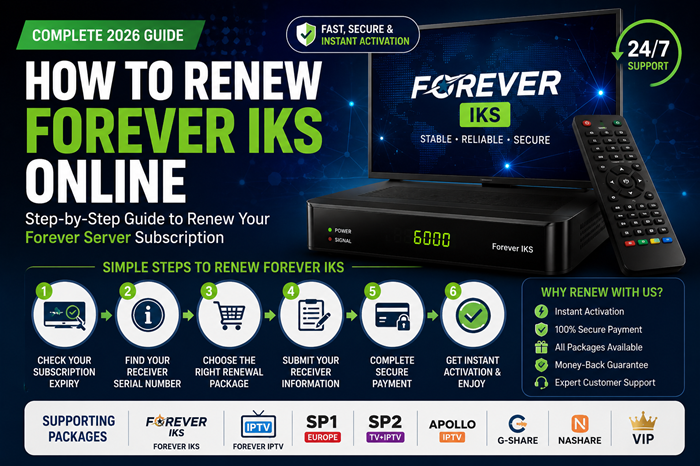
How to Renew Forever IKS Online – Complete 2026 Guide
If your channels have stopped opening or your Forever subscription is close to expiry, it’s time to renew your Forever IKS account.
This guide explains everything you need to know about renewing a Forever Server subscription safely and quickly.
What Is Forever IKS?
Forever IKS (Internet Key Sharing) is a subscription service available on many compatible satellite receivers. Once activated, it allows supported receivers to access available satellite packages through an internet connection. Forever is commonly found on receivers from brands such as Starsat, Geant, Tiger, Mediastar, Viark and other compatible models.
How Do I Know If My Forever Subscription Has Expired?
Common signs include:
✅ Channels no longer opening
✅ “Disconnected” server message
✅ Subscription expiry notification
✅ Server connected but channels remain scrambled
Before purchasing a renewal, verify your subscription status from your receiver menu.
Typical paths include:
Menu → Server Information
or
Menu → About STB → Server Status
The exact location varies by receiver model.
How to Check Your Forever Serial Number
Most Forever renewals require your receiver serial number.
You can usually find it through:
Menu → System Information → About STB
or
Menu → Receiver Information
Many compatible receivers display a unique serial number that is used during the renewal process.
Step-by-Step: How to Renew Forever IKS
Step 1 – Verify Your Receiver Compatibility
Before purchasing a renewal, ensure your receiver supports Forever Server subscriptions.
Popular compatible brands include:
- Starsat
- Geant
- Tiger
- Viark
- Mediastar
- Echolink
- Other Forever-supported receivers
Compatibility depends on model and firmware version.
Step 2 – Check Your Expiry Status
Confirm that your current subscription is expired or nearing expiry.
Renewing before expiration helps avoid service interruptions.
Step 3 – Locate Your Serial Number
Copy your receiver serial number exactly as displayed.
Incorrect serial numbers can delay activation.
Step 4 – Select the Correct Renewal Package
Different receivers may require different Forever subscription types, including:
- Forever IKS
- Forever IPTV
- Forever + Apollo IPTV
- SP1 Europe
- SP2 TV + IPTV
- VIP Packages
European receivers often require SP1 or SP2 packages depending on the device.
Step 5 – Submit Your Receiver Information
Provide:
- Serial Number
- Receiver Model
- Selected Package
Always double-check information before submitting.
Step 6 – Wait for Activation
Most Forever renewals are processed quickly after successful verification and payment. Many providers report activation within minutes to a few hours depending on workload and verification requirements.
Forever Server Not Working After Renewal?
If your subscription was renewed but channels are not opening:
Restart Your Receiver
Power off your receiver for a few minutes and restart it.
Check Internet Connection
Forever IKS requires a stable internet connection.
Update Receiver Software
Older firmware may cause connection problems.
Verify Activation
Confirm that the correct serial number was submitted during renewal.
Contact Support
If the issue continues, contact your renewal provider for verification.
Tips for a Successful Forever Renewal
Keep Your Receiver Updated
Latest firmware versions generally provide better stability and compatibility.
Use Stable Internet
A reliable internet connection helps maintain consistent server communication.
Verify Receiver Information
Always check:
- Serial Number
- Receiver Model
- Package Type
before placing your order.
Frequently Asked Questions
How Long Does Forever Renewal Take?
Most renewals are completed within minutes to a few hours after successful payment and verification.
Can I Renew an Expired Forever Subscription?
Yes. Many Forever-compatible receivers can be renewed after expiry.
Do I Need My Serial Number?
Yes. The receiver serial number is typically required for activation and renewal.
Which Receivers Support Forever?
Support varies by model, but common compatible brands include Starsat, Geant, Tiger, Viark, Mediastar, and others.
Renew Your Forever IKS Today
Don’t let an expired subscription interrupt your entertainment.
RenewSTB offers:
✅ Fast Activation
✅ Secure Payments
Order your Forever renewal today and enjoy uninterrupted access to your favorite channels and entertainment services.